
Migrate from Aha to IdeaLift: Step-by-Step Migration Guide (2026)
Migrate from Aha to IdeaLift in 5 steps. Export ideas, map statuses, preserve customer vote counts, and pick the right lighter-weight tool for your roadmap.

· Updated
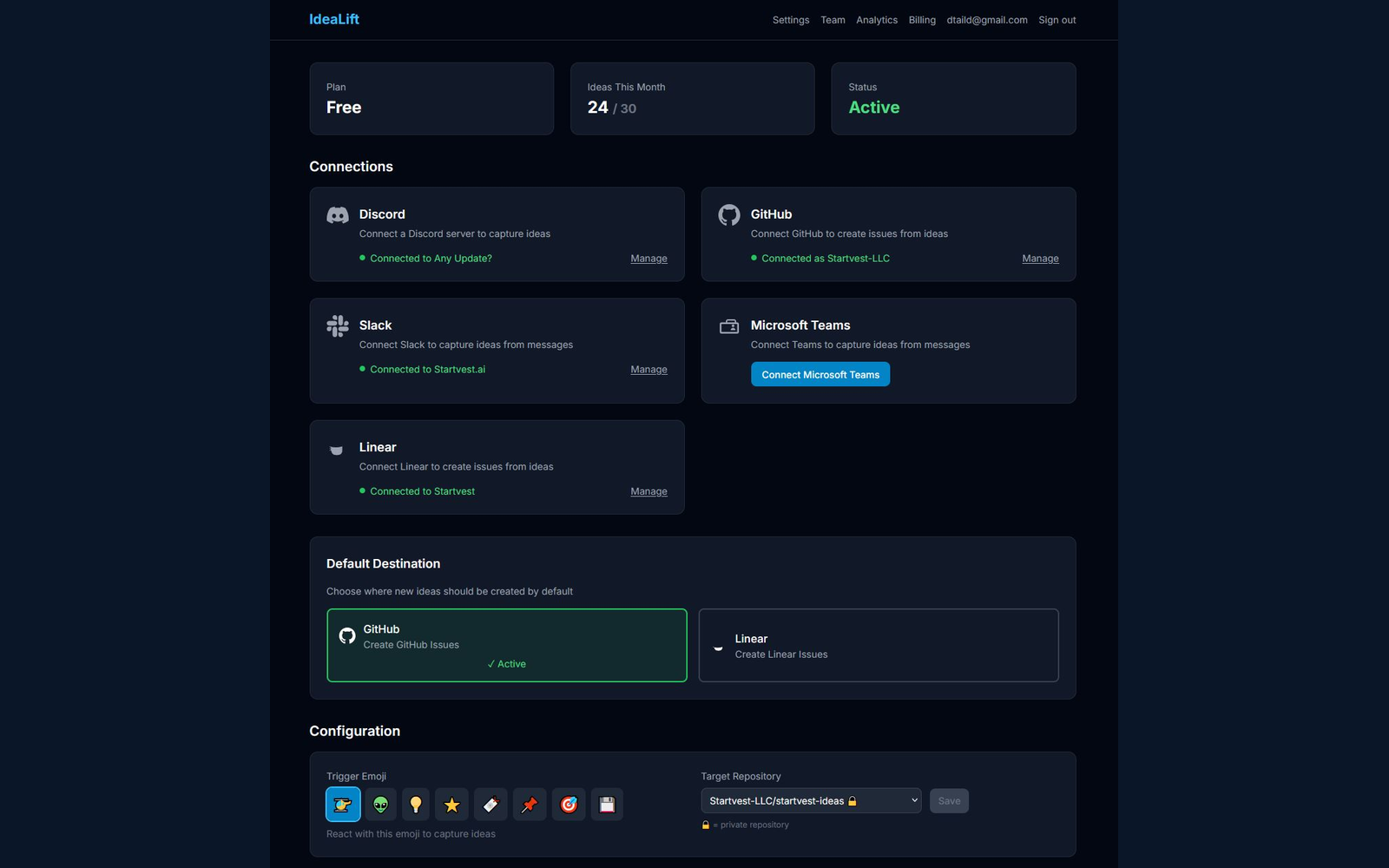
If you want to migrate from Aha to a lighter tool, the process is five steps: export your ideas and feature records as CSV, map Aha statuses to your new tool's workflow, preserve customer vote counts and requester emails, archive old strategy records you do not plan to carry over, and run both tools in parallel for two weeks before cutting over. Most teams finish the move in a week of part-time effort. This guide covers the migration mechanics plus seven simpler Aha alternatives to land on.
Aha is the Swiss Army knife of product management. Roadmaps, ideas, strategy, OKRs, releases, capacity planning, it does everything. That's exactly the problem for many teams, and it's why "migrate from Aha" is a search our readers run weekly. For a shorter 2026-specific shortlist, see Aha alternatives 2026.
If you're looking at Aha! and thinking:
- "This is way more than we need"
- "$59/user/month is steep for a 15-person team"
- "We'll never use 80% of these features"
- "Our team will revolt at the learning curve"
...you're not alone. This guide covers 7 alternatives that might be a better fit.
Why Teams Look for Aha! Alternatives
1. Complexity Overload
Aha! has:
- Strategy (vision, goals, initiatives)
- Roadmaps (multiple views, releases)
- Ideas (portals, voting)
- Notebooks (documentation)
- Capacity planning
- Reports and dashboards
- Integrations
For a team that just needs roadmapping and feedback, this is overwhelming.
2. Price
At $59/user/month (Roadmaps plan), costs add up:
- 5 users: $295/mo
- 15 users: $885/mo
- 30 users: $1,770/mo
And that's not even the top tier.
3. Learning Curve
Aha! requires training. Teams often need:
- Onboarding sessions
- Workflow documentation
- Dedicated admin
- Ongoing support
The tool is powerful, but power has costs.
4. Rigid Structure
Aha! has opinions about how product management should work. If your process doesn't fit, you're fighting the tool.
Quick Comparison
| Tool | Price | Best For | Complexity |
|---|---|---|---|
| Aha! | $59/user/mo | Enterprise PM | Very High |
| ProductBoard | $20/user/mo | Modern product teams | High |
| Airfocus | $15/user/mo | Prioritization-focused | Medium |
| Canny | $79/mo flat | Public roadmaps | Low |
| Linear | $8/user/mo | Dev-focused teams | Low |
| Notion | $10/user/mo | DIY flexibility | Medium |
| IdeaLift | Free (Starter) | Feedback capture | Low |
| Monday.com | $10/user/mo | Visual workflows | Medium |
1. ProductBoard – Best Modern Alternative
Price: $20/user/month
What It Does
ProductBoard is Aha!'s most direct competitor—a full product management platform with feedback, roadmapping, and prioritization.
Why Teams Choose It Over Aha!
- Modern UI: Clean, intuitive design vs. Aha!'s enterprise aesthetic
- Lower price: $20/user vs $59/user
- Faster adoption: Less training required
- Better feedback capture: Integrations with Intercom, Zendesk, etc.
Strengths
- Customer-centric design
- Good feedback organization
- Flexible roadmap views
- Strong integrations
- Fair pricing
Weaknesses
- Still per-user pricing (scales with team)
- Less robust than Aha! for enterprise needs
- Limited capacity planning
Best For
Series A-C companies wanting modern product management without enterprise complexity.
Aha! vs ProductBoard
| Factor | Aha! | ProductBoard |
|---|---|---|
| Price (10 users) | $590/mo | $200/mo |
| Features | Very comprehensive | Comprehensive |
| UI/UX | Traditional | Modern |
| Learning curve | Steep | Moderate |
| Enterprise features | Extensive | Good |
Choose ProductBoard if: You want Aha! capabilities with better UX and lower price. See our ProductBoard alternatives guide for more options in this category.
2. Airfocus – Best for Prioritization
Price: $15/user/month
What It Does
Airfocus focuses on helping you decide what to build through prioritization frameworks and modular features.
Why Teams Choose It Over Aha!
- Prioritization focus: RICE, ICE, custom scoring built-in
- Modular: Add only what you need
- Lower price: $15/user vs $59/user
- Less overwhelming: Focused feature set
Strengths
- Best-in-class prioritization
- Modular pricing (pay for what you use)
- Multiple roadmap formats
- Good integrations (Jira, Asana, Trello)
- Clean interface
Weaknesses
- Less robust than Aha! overall
- Feedback capture is basic
- Smaller ecosystem
Best For
Teams whose main pain is "we don't know what to build next."
Aha! vs Airfocus
| Factor | Aha! | Airfocus |
|---|---|---|
| Price (10 users) | $590/mo | $150/mo |
| Prioritization | Good | Excellent |
| Roadmapping | Excellent | Good |
| Modularity | All-in-one | Pick features |
| Complexity | High | Medium |
Choose Airfocus if: Prioritization is your biggest challenge.
3. Canny – Best for Simple Roadmaps
Price: $79/month flat
What It Does
Canny provides public feedback portals and simple roadmaps. It's the opposite of Aha!'s complexity.
Why Teams Choose It Over Aha!
- Simplicity: Does less, does it well
- Flat pricing: $79/mo regardless of users
- Public roadmap: Built for customer transparency
- Fast setup: Hours, not weeks
Strengths
- Public-facing roadmaps and changelogs
- Customer voting
- Clean, simple UI
- Affordable
- Good Jira/Slack integrations
Weaknesses
- Not a full PM tool (no strategy, no capacity)
- Limited internal roadmapping
- Basic prioritization
- No OKRs or goal tracking
Best For
Customer-facing products that want public feedback and roadmap transparency.
Aha! vs Canny
| Factor | Aha! | Canny |
|---|---|---|
| Price (10 users) | $590/mo | $79/mo |
| Scope | Full PM suite | Feedback + Roadmap |
| Public roadmap | Available | Core feature |
| Setup time | Weeks | Hours |
Choose Canny if: You want simple public roadmaps, not enterprise PM. We cover more options in our Canny alternatives comparison.
4. Linear – Best for Dev-Centric Teams
Price: $8/user/month
What It Does
Linear is a project management tool for software teams. It's not a roadmap tool per se, but many teams use it for product planning.
Why Teams Choose It Over Aha!
- Speed: Incredibly fast UI
- Developer love: Built for how engineers work
- Low price: $8/user vs $59/user
- Simplicity: One tool for issues + roadmap
How Teams Use Linear for Roadmapping
- Projects = roadmap items
- Milestones = releases
- Cycles = sprints
- Labels = themes/goals
Strengths
- Best-in-class UX
- Keyboard shortcuts, CLI
- GitHub integration
- Affordable
- Beautiful
Weaknesses
- Not designed for product strategy
- No feedback capture
- No customer segmentation
- No OKRs or goal tracking
Best For
Engineering-led startups where PMs and devs want one tool.
Aha! vs Linear
| Factor | Aha! | Linear |
|---|---|---|
| Price (10 users) | $590/mo | $80/mo |
| Target user | Product | Engineering |
| Roadmapping | Advanced | Basic |
| Issue tracking | Available | Excellent |
| Speed | Standard | Very fast |
Choose Linear if: You're engineering-first and want one beautiful tool.
5. Notion – Best DIY Flexibility
Price: $10/user/month
What It Does
Notion is a workspace platform. Teams build custom roadmapping systems using databases, templates, and linked content.
Why Teams Choose It Over Aha!
- Flexibility: Build exactly what you need
- Cost: $10/user vs $59/user
- One tool: Docs + Wiki + Database + Roadmap
- Control: No vendor lock-in
How Teams Build Roadmaps in Notion
- Database: Feature name, status, quarter, owner, priority
- Views: Timeline (roadmap), Kanban (by status), Table (master list)
- Linked specs: Each feature links to its PRD
- Templates: Standardize feature specs
Strengths
- Ultimate flexibility
- Low cost
- Great documentation features
- Large template ecosystem
- Your data, your structure
Weaknesses
- Manual setup and maintenance
- No native integrations (Zapier needed)
- No built-in voting or feedback
- Becomes messy without discipline
Best For
Teams who hate packaged software and want full control.
Aha! vs Notion
| Factor | Aha! | Notion |
|---|---|---|
| Price (10 users) | $590/mo | $100/mo |
| Setup time | Days | Days |
| Flexibility | Constrained | Unlimited |
| Maintenance | None | Ongoing |
| Integrations | Built-in | DIY |
Choose Notion if: You want control and hate opinionated software.
6. IdeaLift – Best for Feedback Capture
Price: Free starter, $79/mo Pro, $199/mo Growth (flat, not per-user)
What It Does
IdeaLift specializes in capturing feedback from chat (Slack, Discord, Teams) and syncing to your existing tools.
Why Teams Choose It
IdeaLift isn't an Aha! replacement—it's a complement. Many teams find Aha! great for roadmapping but terrible for feedback capture from chat.
How It Works
- Customer posts in Slack
- Team reacts with emoji
- Feedback captured with thread context
- AI summarizes
- Syncs to Aha! (or Jira/GitHub)
Strengths
- Native Slack/Discord capture
- Thread context preserved
- AI summarization
- Flat pricing
- Works with any PM tool
Weaknesses
- Not a roadmap tool
- Not an Aha! replacement
- Complement, not substitute
Best For
Teams keeping Aha! (or any PM tool) but need better feedback capture.
When to Add IdeaLift to Aha!
- Feedback lives in Slack/Discord
- Manual copying is a bottleneck
- Long chat threads need summarization
- You want bi-directional sync
Choose IdeaLift if: You're keeping your PM tool but losing feedback in chat.
7. Monday.com – Best Visual Alternative
Price: $10/user/month
What It Does
Monday.com is a work management platform with visual workflows. It's not product-specific but has templates for roadmapping.
Why Teams Choose It Over Aha!
- Visual: Drag-and-drop, colorful boards
- Versatile: Works for PM, marketing, ops
- Price: $10/user vs $59/user
- Already using it: Many companies have Monday.com
How Teams Use Monday.com for Product
- Board for roadmap items
- Timeline view for roadmap visualization
- Forms for feedback collection
- Dashboards for status reporting
Strengths
- Very visual, easy to share
- Templates for product management
- Automations built-in
- Lower price point
- Non-technical friendly
Weaknesses
- Jack of all trades, master of none
- Not product-specific
- Limited prioritization features
- No feedback voting
Best For
Teams already using Monday.com who want to consolidate.
Aha! vs Monday.com
| Factor | Aha! | Monday.com |
|---|---|---|
| Price (10 users) | $590/mo | $100/mo |
| Product focus | Purpose-built | General |
| Visual design | Standard | Strong |
| Flexibility | Moderate | High |
Choose Monday.com if: You want visual roadmaps without PM-specific complexity.
Decision Framework
Keep Aha! If:
- You're enterprise-scale (500+ employees)
- You need strategy → execution traceability
- Compliance requires comprehensive tooling
- Budget isn't a major constraint
- You have PM ops resources
Switch to ProductBoard If:
- You want similar capabilities, modern UX
- Price per user needs to decrease
- Feedback organization is important
- You're mid-market, not enterprise
Switch to Airfocus If:
- Prioritization is your main pain
- You want modular pricing
- You don't need full strategy tools
Switch to Canny If:
- Public roadmaps are key
- You want simplicity
- Budget needs to be flat
Switch to Linear If:
- Engineering drives product
- You want one tool for PM + dev
- Speed and UX matter most
Switch to Notion If:
- You hate packaged software
- You want full control
- You have time to build and maintain
Add IdeaLift If:
- Feedback gets lost in Slack/Discord
- You're keeping your current PM tool
- You need better capture, not better roadmapping
Migration Considerations
Exporting from Aha!
- Features: Export to CSV
- Roadmaps: Export as images or PDF
- Ideas: Export with votes
What Matters Most to Migrate
- Active roadmap items
- Key features with context
- In-progress ideas
What to Leave Behind
- Historical completed items
- Stale ideas
- Complex strategy artifacts
Team Communication
Subject: We're changing our roadmap tool

Team,

We're moving from Aha! to [new tool]. Here's what's changing:

- New home for roadmap: [link]
- How to submit feedback: [new process]
- Timeline: [date]

What's staying the same:
- Our product process
- How we prioritize
- Your ability to contribute ideas

Training session: [date/time]

Questions? [Contact]
Conclusion
Aha! is powerful but often overkill. The right alternative depends on:
| Need | Best Choice |
|---|---|
| Similar capabilities, better UX | ProductBoard |
| Prioritization focus | Airfocus |
| Simple public roadmaps | Canny |
| Engineering-led team | Linear |
| Maximum flexibility | Notion |
| Better feedback capture | IdeaLift |
| Visual work management | Monday.com |
Don't pay enterprise prices for enterprise complexity you don't need. Find the tool that matches your actual workflow. For a full comparison across all categories, see our best product feedback tools guide.
Losing feedback in chat? Try IdeaLift free →
FAQ
How do I migrate from Aha to IdeaLift?
Export your Aha ideas and features as CSV from Settings > Account > Import/Export. Map the Aha "Idea" status workflow (New, Under Review, Planned, Shipped) to IdeaLift's status field during import. Upload the CSV into IdeaLift's bulk import screen. Requester emails and vote counts transfer one-to-one. Run both tools in parallel for two weeks so you can verify nothing got dropped, then deprecate Aha. Most teams finish in a week of part-time effort. The step-by-step migration playbook covers what stays in Aha!, what doesn't transfer, and the exact sequence; the IdeaLift vs Aha! Ideas comparison covers the side-by-side feature gaps.
Is migrating from Aha worth it?
It is worth it when your Aha subscription costs more than the value you are extracting from it. Signs: your team uses less than 30% of the features, setup took longer than expected, new hires complain about the learning curve, or the roadmap you built is not actually influencing what ships. If none of those apply, stay on Aha. If two or more apply, pick a lighter tool and move.
What do I lose by migrating from Aha?
You lose deep strategy hierarchy (vision > initiative > release > feature > requirement), advanced capacity planning, and the custom reporting that takes months to configure but that most teams never use. You keep ideas, customer requests, vote counts, status workflows, and roadmap views. For most teams this trade is favourable.
Free Resource
Rescue Your Lost Feature Requests
A 5-step audit to find the ideas hiding in your team chat
Ready to stop losing ideas?
Capture feedback from Slack, Discord, and Teams. Send it to Jira, GitHub, or Linear with one click.
Continue Reading
View allMigrating from Aha! to IdeaLift: The Honest Playbook
Aha! is a powerful PM suite. Most teams use 20% of it and pay full price. Here's the step-by-step migration to IdeaLift — what transfers, what doesn't, and what to fix in your process before you switch.
Aha! Alternatives in 2026: What Product Teams Actually Switch To
Aha! is powerful. It's also expensive, complex, and built for roadmaps. Not the messy pre-backlog decisions that feed them. Here's what teams are using instead.
How to Migrate from Aha! Without Losing Critical Data
Complete guide to migrating from Aha! without losing critical product data, workflows, or team productivity. Systematic approach ensures zero downtime and preserves business continuity.